Technology · Compass Boards
Any process.
One living board.
Every practice runs on invisible workflows — patients moving toward care, vendors under consideration, a team learning new skills. Today they live in spreadsheets, sticky notes, and someone's memory. We build them into living boards: private software shaped around exactly how your practice works. Everything below is real, running software — with fictional example data. Most practices don't know this is possible.
One engine · Three of the shapes it can take
The same board, wearing your workflow.
The stages are yours to name. Whoever — or whatever — moves through your process gets a card, and the board keeps quiet watch: red when something is overdue, a soft glow when attention is needed within the week.
🧑⚕️ Patients through your process
Referral → intake → first visit → treatment plan → recall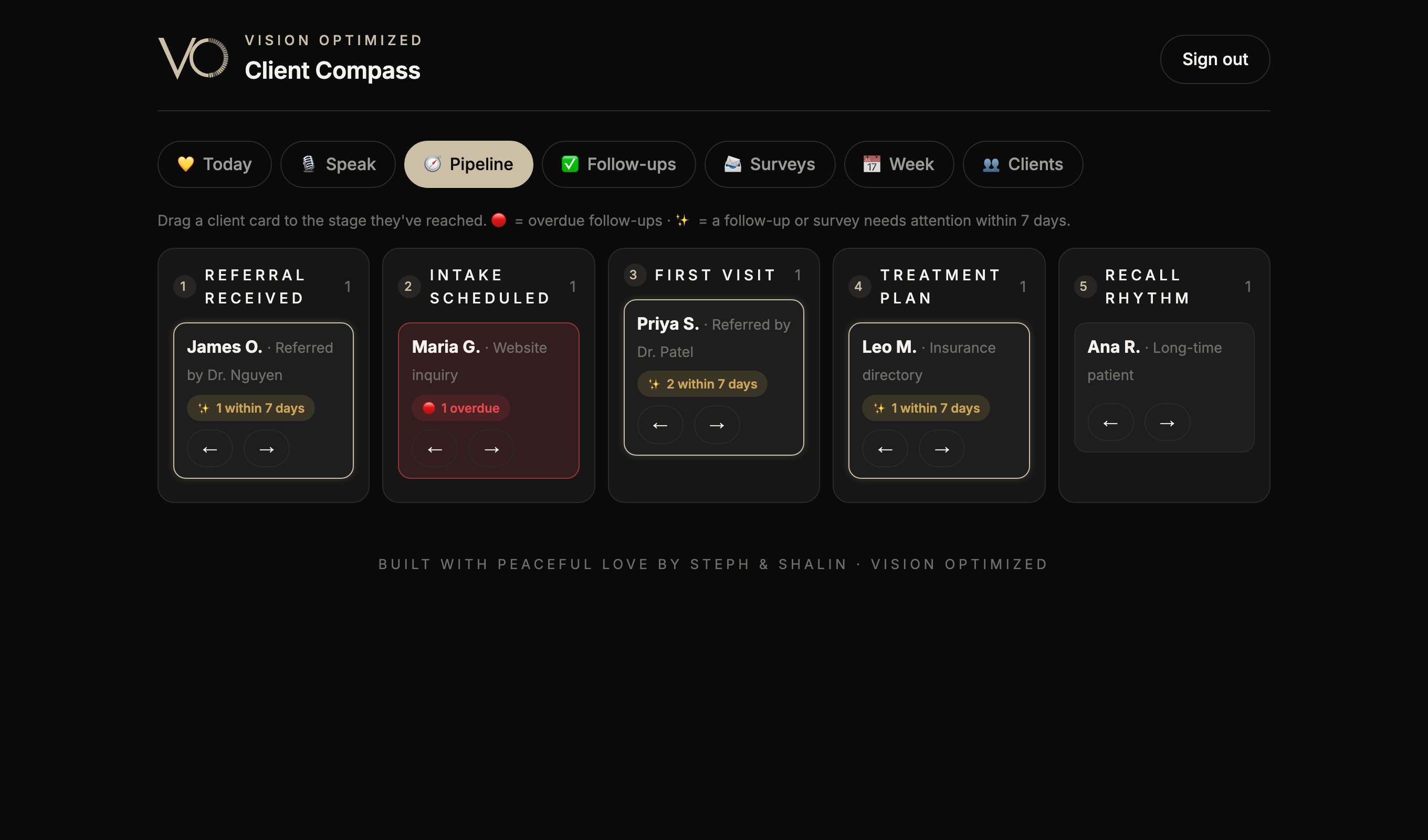
🤝 Vendors through selection
Identified → demo → pilot → contract → live partner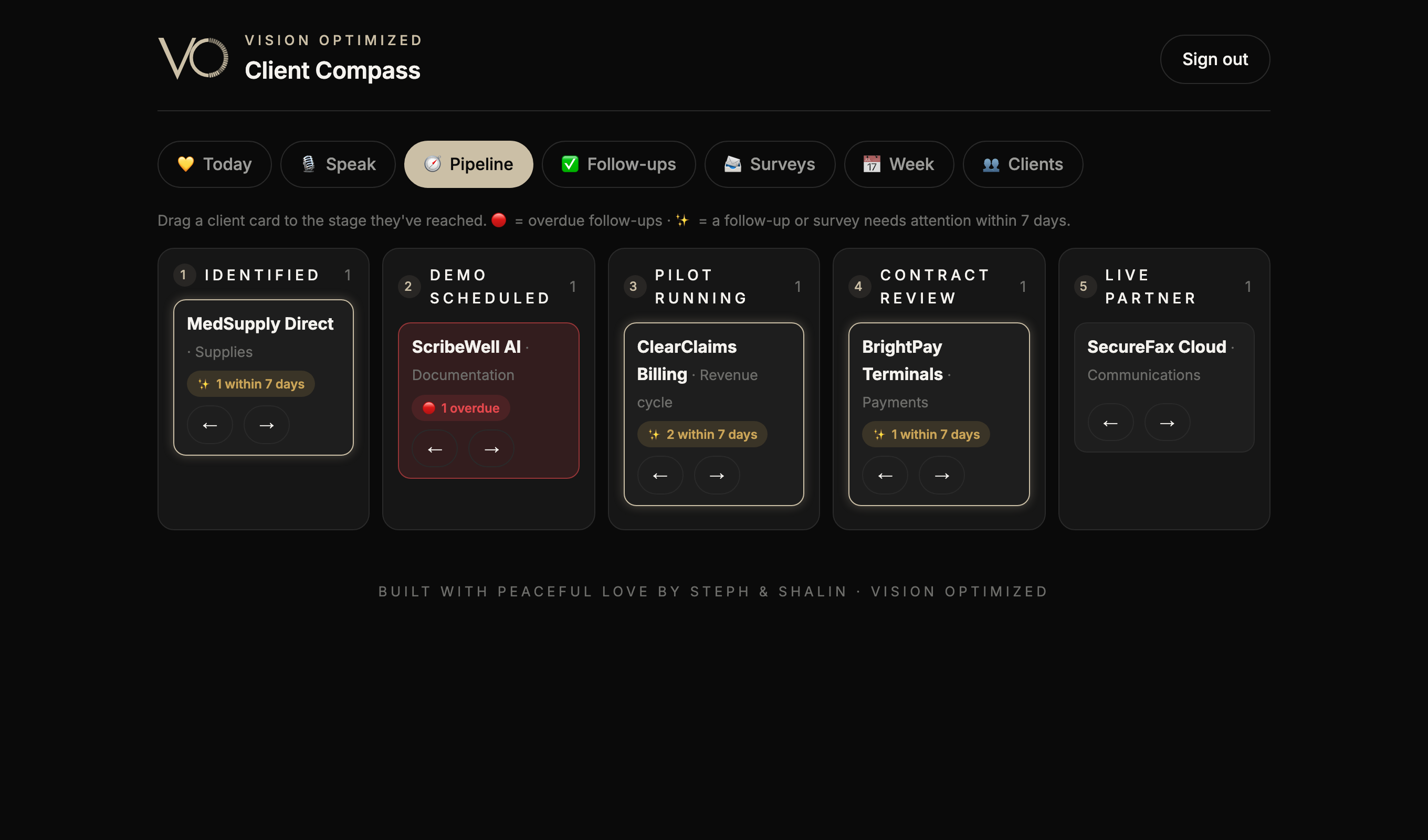
🎓 Your team through training
Not started → shadowing → practicing → certified → mentoring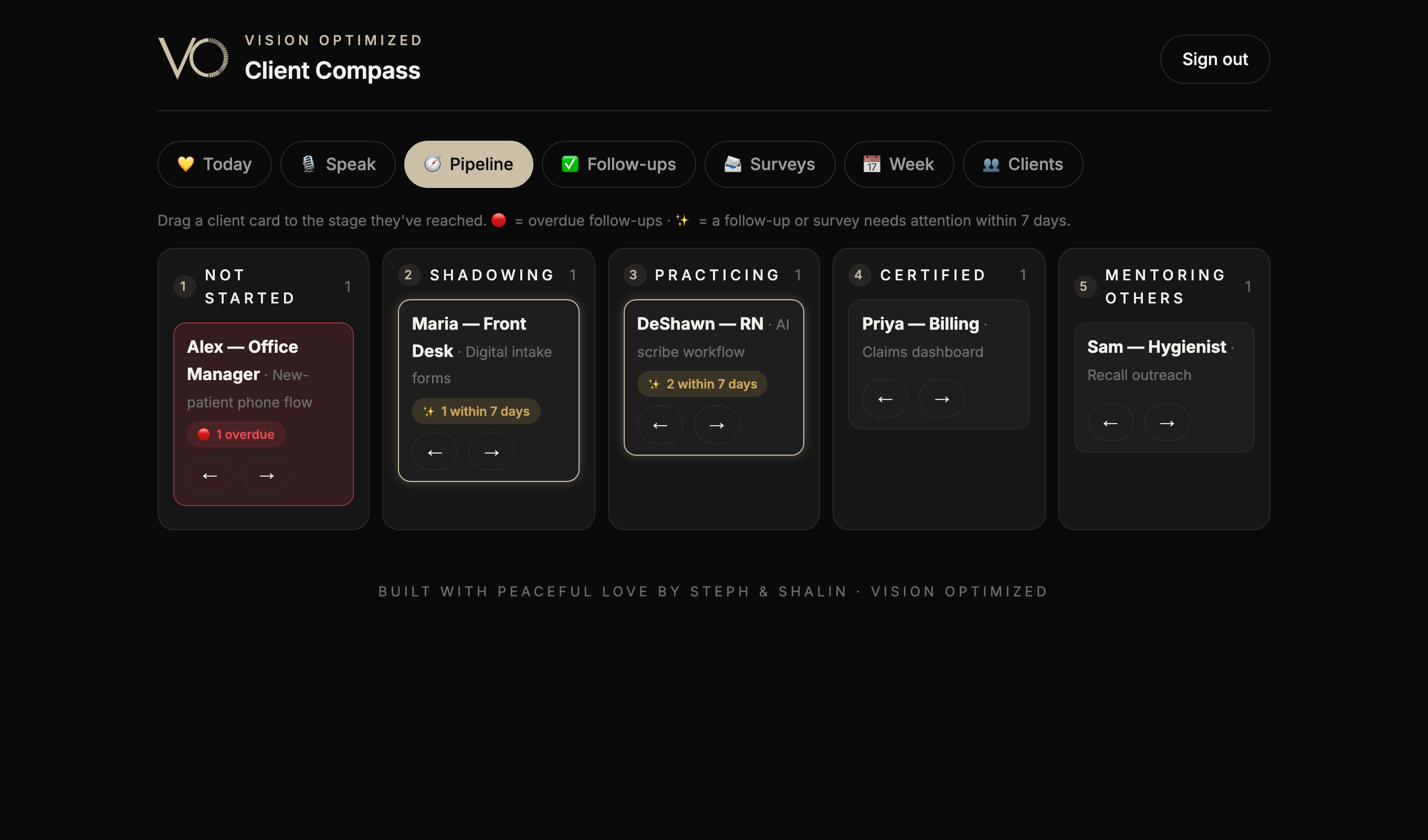
How it works
Four quiet habits, kept by software.
Step 01
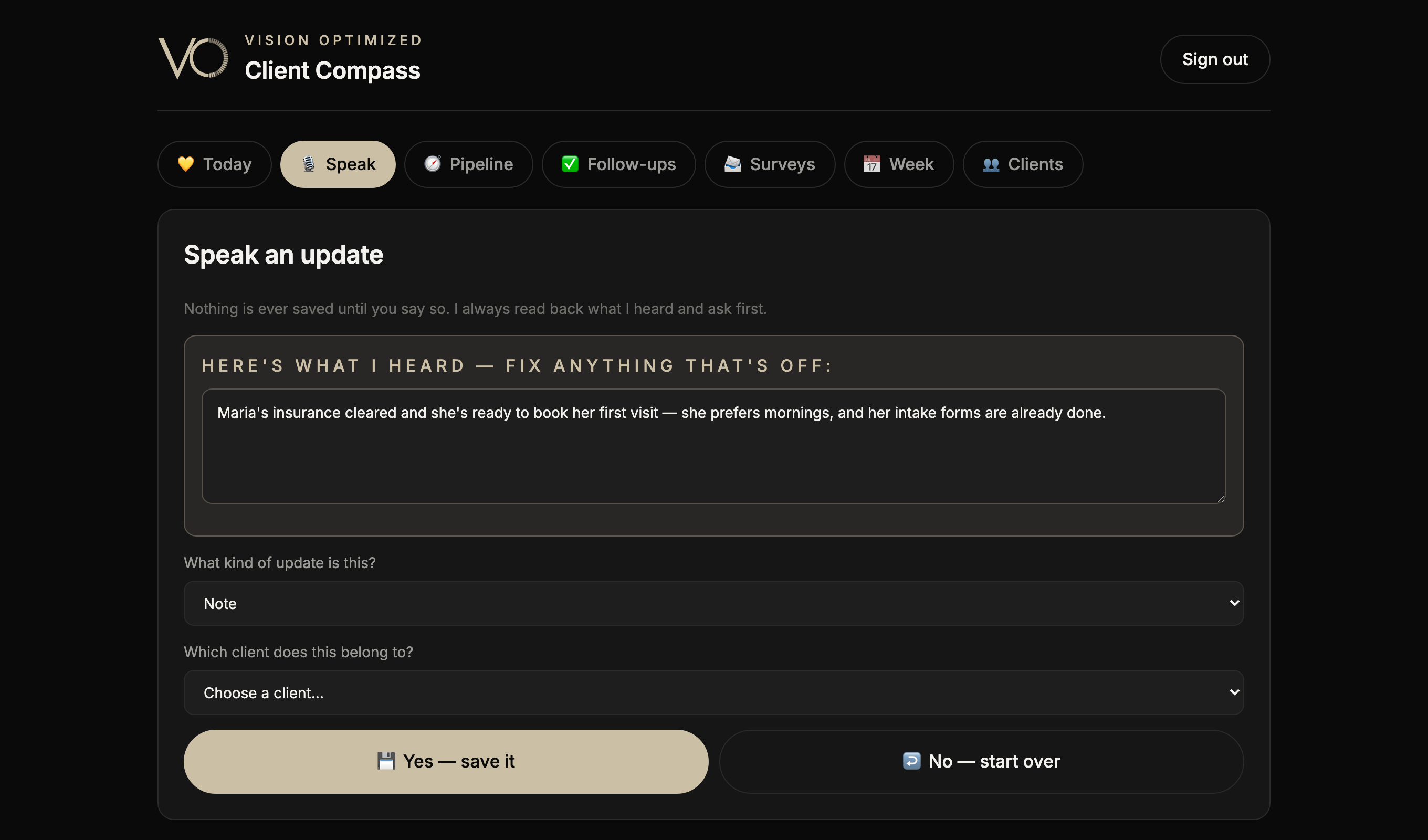
Speak it. It's captured.
Between patients, say one sentence. The board transcribes your words, reads them back out loud, and asks "Save it?" — nothing is ever written down without your yes. Typing always works as backup.
Step 02
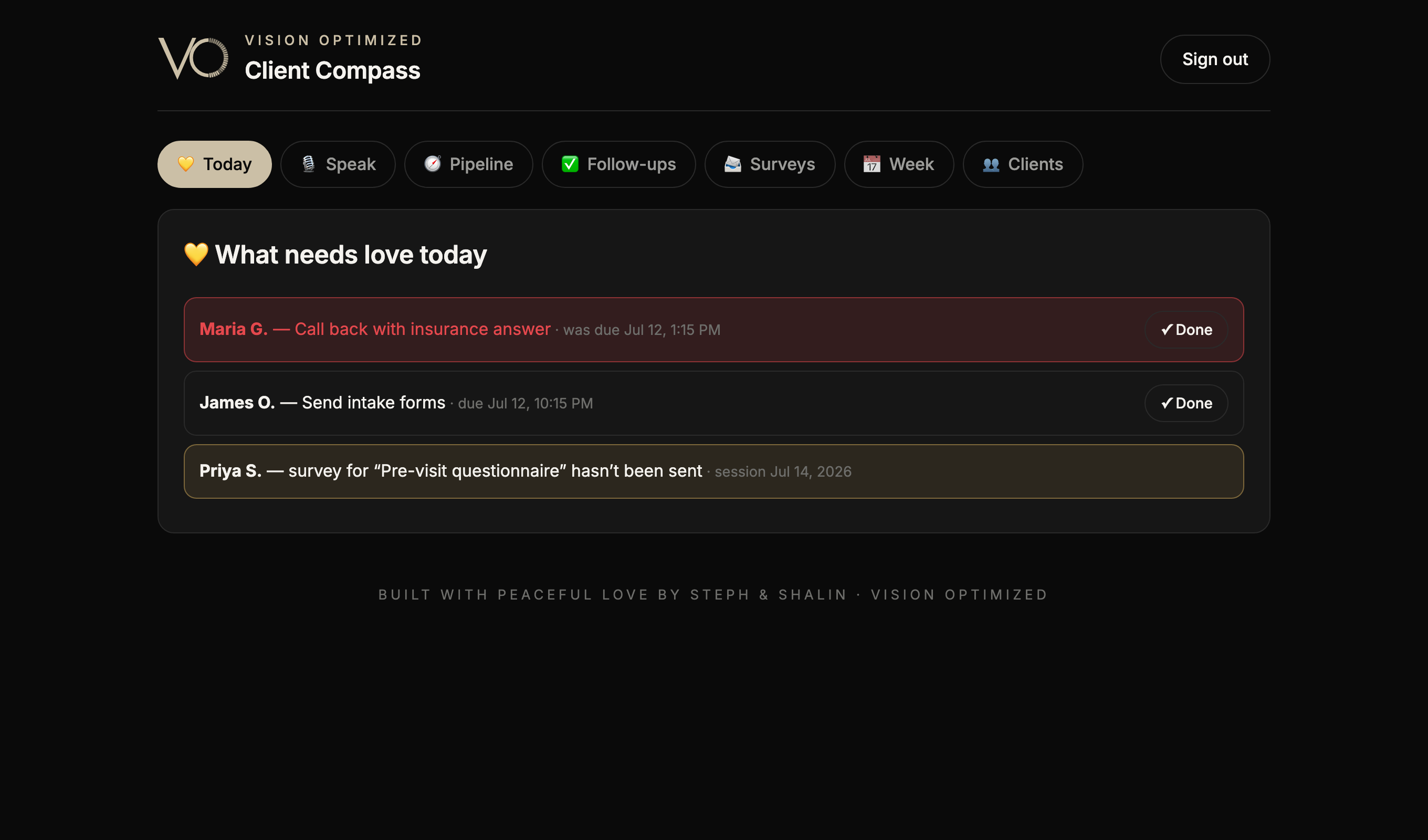
Every morning it tells you who needs love.
The home screen answers the only morning question that matters: who's waiting on you? Overdue items first, in red. Then today's work. Then gentle nudges for anything that should go out before an upcoming visit.
Step 03
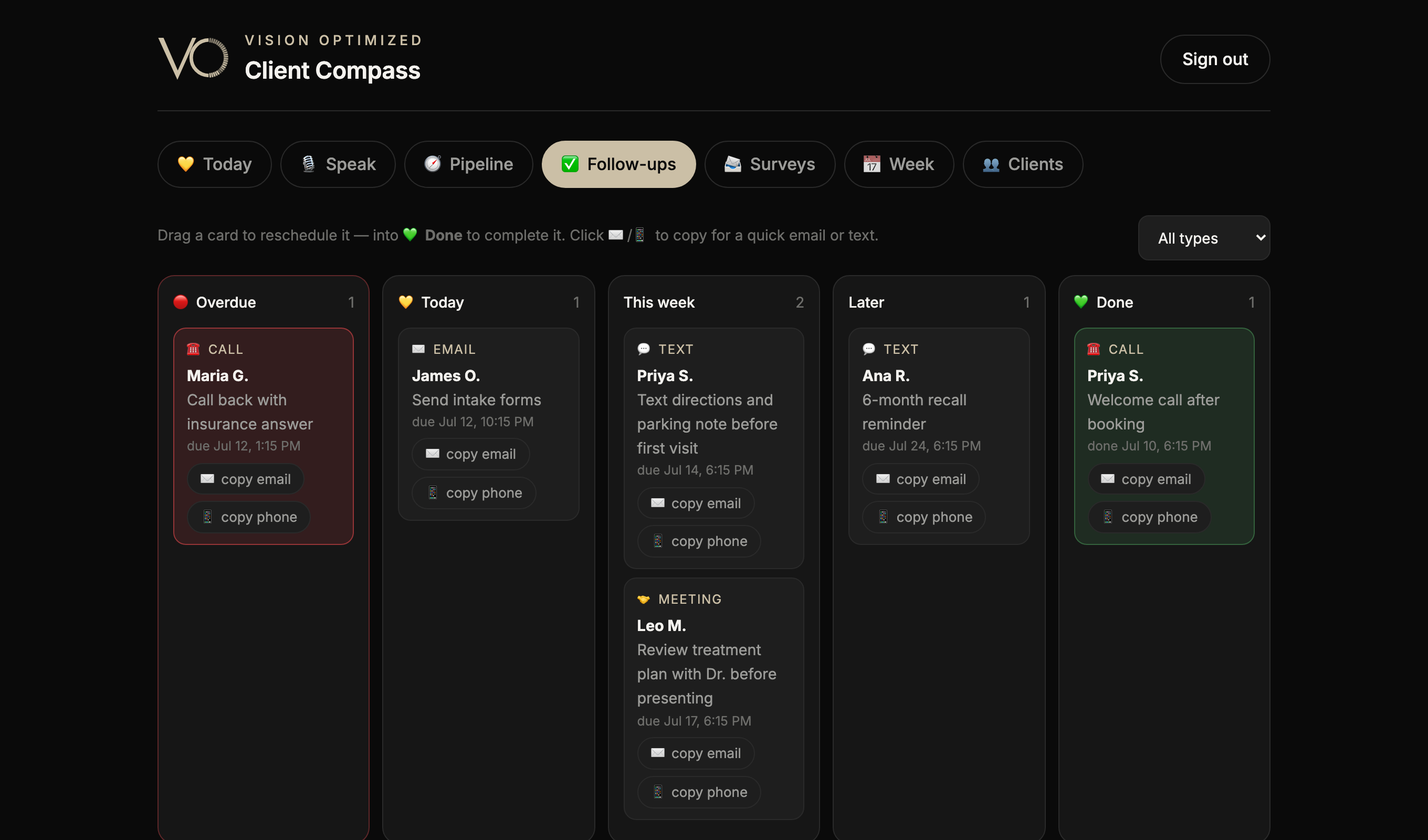
No follow-up is ever buried.
Calls, emails, texts, meetings — each a card on its own board: Overdue, Today, This week, Later, Done. Drag to reschedule, drop on Done to finish. One click copies a phone number or email, so reaching out takes seconds, not searching.
And the board can keep your cadence automatically — finish a stage, and the right follow-ups create themselves.
Step 04
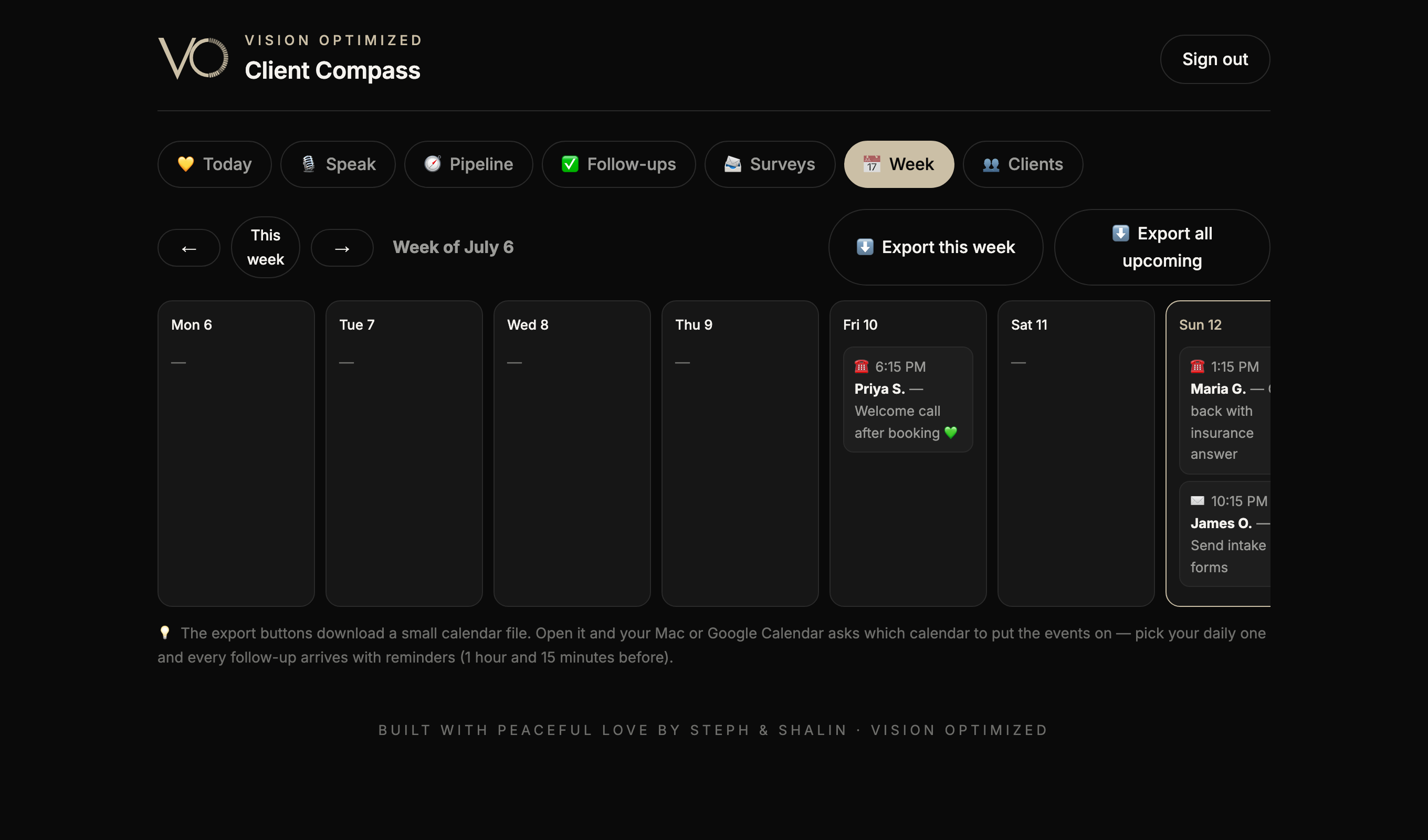
Your week — on your own calendar.
Everything due, laid across the week. One button sends it to Apple or Google Calendar — you choose which calendar it lands on — with reminders built in, an hour and fifteen minutes before each one.
The login you don't see here — that's a feature.
Every board we build lives behind a locked door: your team signs in, nobody else. Invisible to search engines, linked from nowhere, holding exactly what you choose and nothing more. That privacy isn't an add-on — it's drawn in from the first line: your data, your door, your keys.
Built for our practice. Buildable for yours.
We run our own practice on a board just like these — that's how we know they hold up on a busy morning. If your team keeps a process in a spreadsheet, on sticky notes, or in someone's head, it can become software like this: shaped to your exact way of working, private to you, often in days rather than months.